Exercise 5: Validate the Converted OME-Zarr Files
In this exercise, you will validate and explore the converted OME-Zarr using different tools .
The ome_zarr Command
The ome_zarr tool is preinstalled and available for all BAND desktops. You can use it to validate the converted zarr files.
NOTE: Due to the network restrictions on BAND,
ome_zarr viewwill not work
- Open a terminal, or use the same terminal from the previous steps
-
Run the following command:
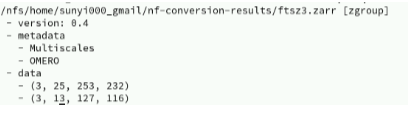
bash ome_zarr info ~/nf-conversion-results/ftsz3.zarr -
You should see the output as shown in the screenshot below.
- Try to validate other zarr files by replacing the path.
The Neuroglancer
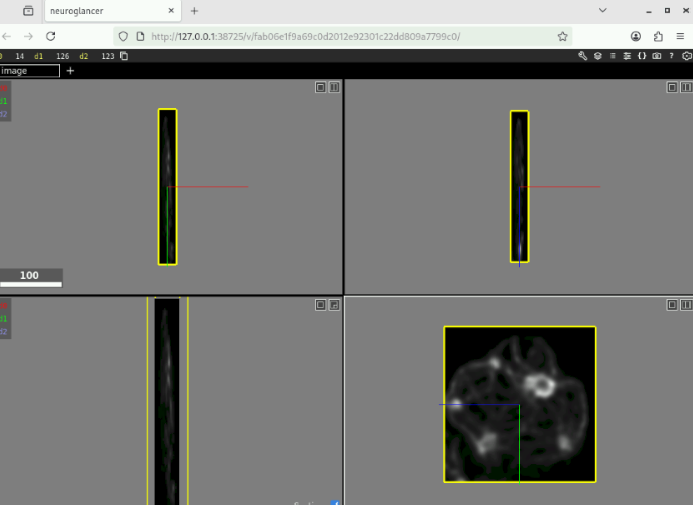
Neuroglancer is a WebGL-based viewer for volumetric data. It is capable of displaying arbitrary (non axis-aligned) cross-sectional views of volumetric data, as well as 3-D meshes and line-segment based models (skeletons).
It is preinstalled on BAND. A convenient wrapper command ome_zarr_neuroglancer is available for you to use.
To open OME-Zarr in Neuroglancer:
- Open a terminal, or use the same terminal from the previous steps
-
Run ome_zarr_neuroglancer with the pat to a Zarr file, e.g. ome_zarr_neuroglancer ~/
bash nf-conversion-results/filament.zarr -
A browser will open with Neuroglance displaying the Zarr.