Exercise 2: Convert Images Locally
Activate the conda environment:
source /scratch/miniforge3/etc/profile.d/conda.sh      # source the conda binary
conda activate eubizarr                                # activate the eubizarr environment
- You could list all the available conda enviroments using
conda env list. - Always check you are using the correct conda environment.
Create a results folder:
mkdir ~/results_local
- The
~expand to your own home folder, e.g./home/YOUSUSERNAME/ - On BAND, you only have write permission to your home folder and
/scratch - You can create any folder under
~or/scratchto store results.
Convert several single images
eubi to_zarr /scratch/common/data/small_dataset/ ~/results_local
- These steps convert all images in the
small_datasetfolder into Zarr format and save the results in~/results_local. - The conversion only uses 1 node.
- The conversion runs on the same node where your BAND desktop is running.
Check the results
List the contents of the output folder:
ls -lah ~/results_local
ome_zarr info ~/results_local/ftsz3.zarr
Expect Output
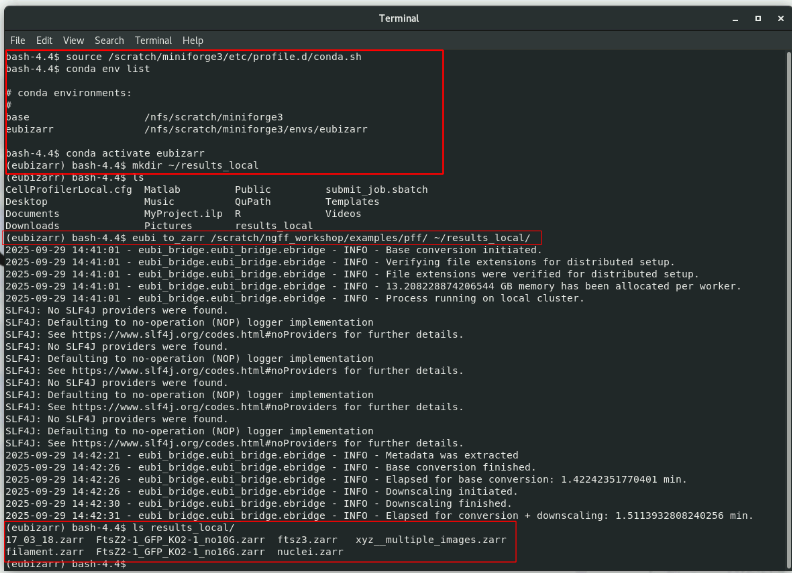
Convert one multi-scene image
- Configure eubi multi-scene conversion (should persist and not be necessary for the course)
eubi configure readers --scene_index all
-
Open
/scratch/common/data/medium_dataset/19_07_19_Lennard.lifin Fiji to observe that it is multi-scenece container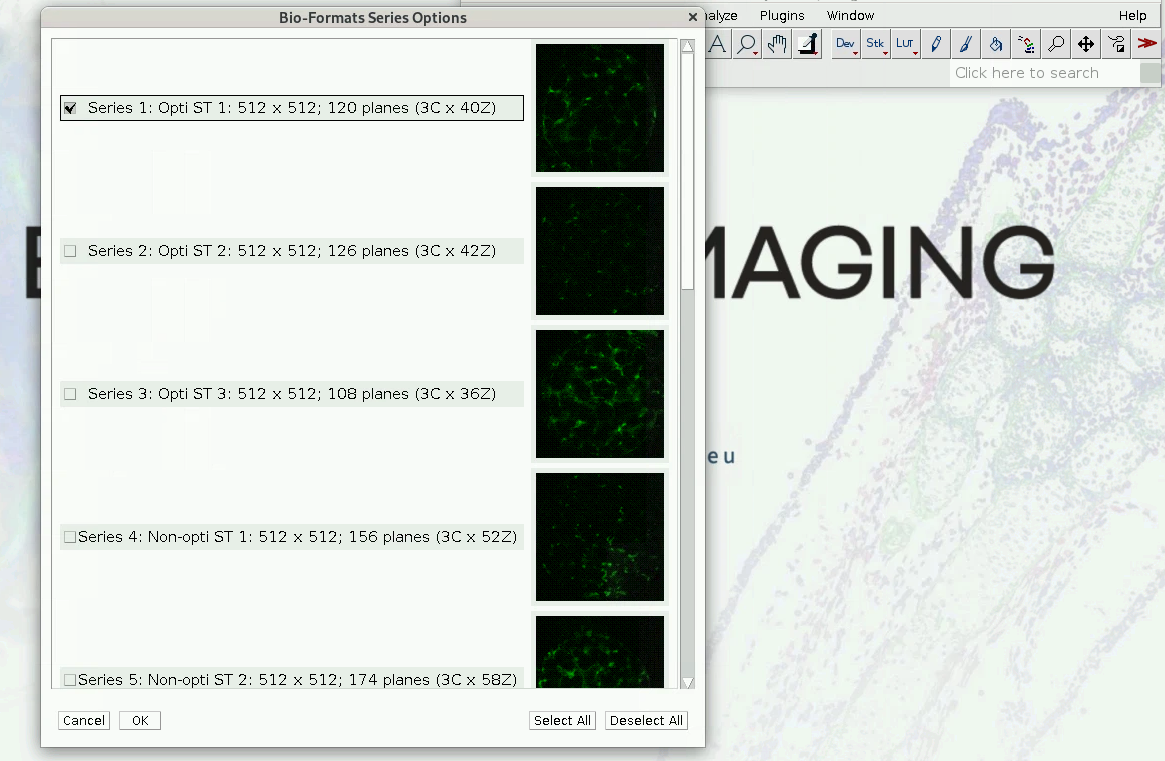
-
Convert to OME-Zarr
Create output folder
mkdir ~/medium_data_out
Run the conversion
/scratch/common/data/medium_dataset/19_07_19_Lennard.lif ~/medium_data_out --max_concurrent_scenes 10
